


I have never had an issue with a Netgear product….then I purchased the Nighthawk router in January 2026…..and, after 2 months of flaky operation, it finally sent our phones to AT&T 5G never to return them to WiFi.
I returned the Nighthawk to Best Buy in March 2026.
Best Buy offered a new one in it’s place, and since I have never had a problem with Netgear products, I decided to try the same Nighthawk model one more time.
I mean what are the chances?
2 months later (May 2026)
This is how it is going:
- I am seeing coverage better than the returned router. My telecommuting office (outside) is mostly getting “medium” or “weak” coverage on my Pixel 10 Pro XL at 5 gig (I can move my table into the neighbors yard to automatically drop to 2 gig, but….).
- My very old Pixelbook has been retired and a new Lenovo Chromebook Plus has taken it’s place and it works just fine.
- Our phones, in normal operation around the home, have not been sent to AT&T 5G.
- I also learned to “trust” the Smart Connection on the Nighthawk again.
- I did the entire network drawing below from outside with zero drops! Progress. 🙂
Current Network Configuration


You can see that I have chosen to hard-wire some of the equipment to the WiFi router. The Nighthawk is nice in that there are 4 ports for this purpose. I use three (Arlo, Sound Bar, and the TV. ). It just makes it easier to swap out routers (call me lazy) since the wired connections don’t care about WiFi.
The picture of the back shows the lowly 2.5 gig yellow port (to connect to the cable modem) and the 4 LAN 1 gig ports.
At home, and retired, I am no longer a power user pushing videoconferencing technology. I am just an old charity director (ForCarol.org) who just needs ordinary Internet connectivity, soooo….

We purchased the lowest cost Netgear Nighthawk router at Best Buy.
Since I have been a Netgear fan for many years and many products, it made sense to trust their quality. That kinda backfired with router #1, but, #2 seems stable. So far.
Although my trust took a small hit, Lori reminded me that I am at heart a Netgear Geek and that I should never forget that.
We will see how the long term Nighthawk RS-100 treats us.
Below are two screen shots of the Nighthawk mobile app.
You can see it allows you to see the devices connected to router, get the Internet speed the router is seeing, the power of the signal, setting your WiFi to Smart Mode, and a few other things.


Here is screen shot of the devices connected.

After a router update, I am learning to “trust” Smart Mode…..
…..so far so good as of September 29, 2026 at 9:07 AM Pacific. 🙂
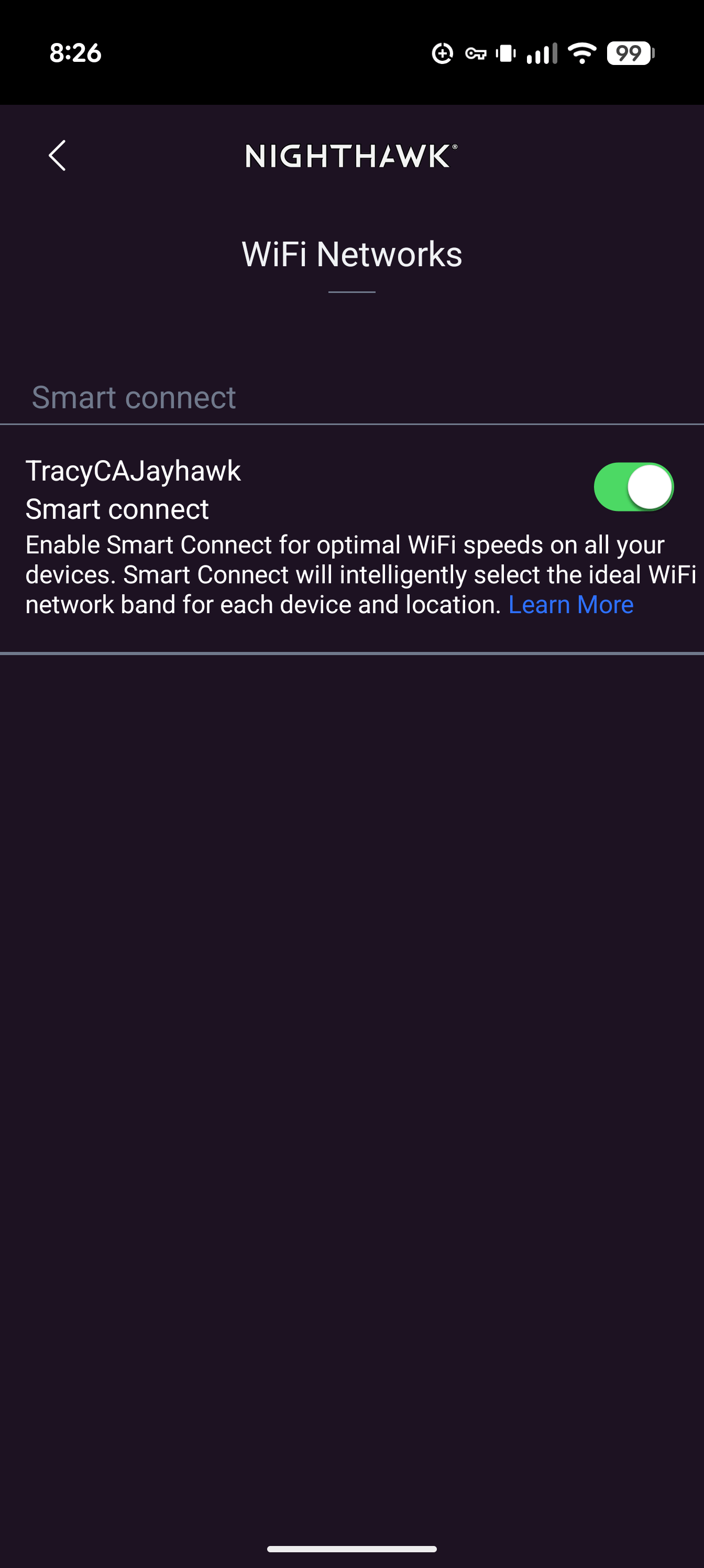
Here are some screenshots of network connectivity on my Pixel 10 Pro XL at 5 Ghz and 2.4 Ghz when I am a bit further from the router. Scrolling down a bit I can see that it is using WiFi-6 not WiFi-7 like I expected. But it works, and I “trust” Smart Mode, right?! 🙂


Summary
Since our Orbi (from Netgear!) has reached end of life and it’s always safer to keep up the the latest security protocols and updates, we purchased the Netgear Nighthawk RS-100 router.
After a few bumps in the road (very unusual for Netgear and me) we seem to have settled in with another reliable Netgear router.
I’ll update you in a few years. 🙂
Netgear: In Smart mode….you need to prioritize connectivity over speed! Working at home, outside, it is MUCH preferred to have 2 Ghz connectivity rather than 5 Ghz connectivity which regularly bounces out to AT&T.
After the update, I now disallow connection to AT&T 5G when I am at home.
Oh….I purchased a new cable modem (Netgear of course….) and my Xfinity Internet speed jumped from 500+ Mbps downstream to 700+ Mbps! Wow! 🙂

Geek on!


- Artificial Intelligence Explains: Remote Work, Telecommuting, and Coworking
 I asked Google Gemini and Adobe Firefly artificial intelligence (AI) to help me explain remote working, telecommuting, and coworking in… Read more: Artificial Intelligence Explains: Remote Work, Telecommuting, and Coworking
 - Remote Working Rocks!
 COVID forced everyone to understand the value of telecommuting, videoconferencing, and remote work. During that time……remote working / telecommuting /… Read more: Remote Working Rocks!
 - Telecommuters / Remote Workers: Which is more valuable to you? Money or Time?
 I saw an article this morning (August 10, 2021) stating in the headline that remote workers / telecommuters at Google… Read more: Telecommuters / Remote Workers: Which is more valuable to you? Money or Time?
Optional Reading: Trials and Tribulations
If you want to see all the trouble I’ve had with these routers….which are now a thing of the past (I hope) read on…..
UPDATE 7/21/26
I connected the Nighthawk back but kept the 8 port switch I needed with the Orbi. I connected one port of the 8 port switch to the Nighthawk with the hopes of making life easier for the router. I also put the Nighthawk back on “Smart Mode” and as of this minute: (12:36 pm Pacific, August 23, 2026) it is working perfectly. We will see. See the speed tests on July 15 below vs today July 21 and before the 15th. Why the slow down?
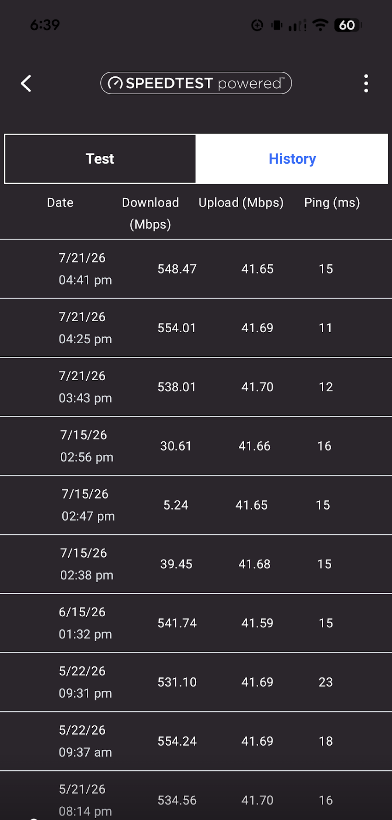
UPDATE 7/15/26
OK, it happened again. The newest Nighthawk RS100 router “DIED“!
For NOW…..our old reliable ORBI is back in service!
After an interesting technical discussion with Google Gemini (I really do love AI) we decided that the low-budget RS100 is not built well enough for the rigors we put on a router by STREAMING everything. A more rugged router will be purchased, maybe.
UPDATE 6/22/26:
The router did an update on 6/20/26 and now the “Smart” mode is not as stable as it was. Scroll down a bit to see my updated recommendations.
I actually like this setup W-A-Y better now. 🙂
Here is a photo of Blaze’s and my telecommuting office. 🙂 (I’m trying to get used to portrait since Instagram only allows portrait or square now. Landscape seems to be a thing of the past. A poor choice, but, I’m flexible…..)

