
-
“Grasshopper: Learn to Code in JavaScript” by Google’s Area 120

UPDATE 5/6/2018: After working on Grasshopper for 16 days in a row…..I GRADUATED! Yippeee! Tired of your kids, or grand-kids, having all the fun learning how to code? Well…..here is an app for us “old” folks. 😉 Adult learners, using the Grasshopper app on your Android or IoS phones can now learn how to code…
-
Cameras on Smartphones: Photography for Everyone
-
Crowd Mics: Audience Participation via Voice, Text, and Polling
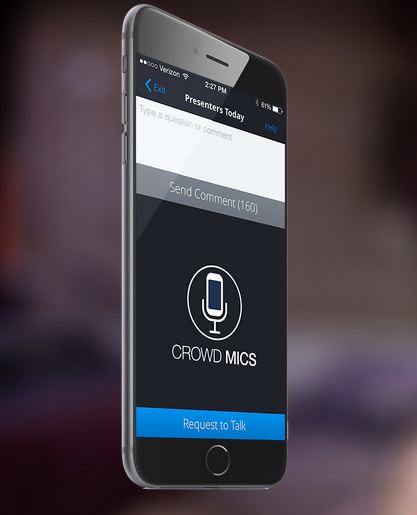
UPDATE: May 2019 I guess they are gone. Hmmmm, even great ideas don’t make it sometimes. 😦 In the old days, I gave a ton of speeches at conferences on video conferencing technology. At the end of my talk, during the Q&A session, two people stood in the audience with wireless microphones that they would…
-
Using MileIQ: The Smart Mileage Tracker

-
Blast From the Past: Cell Phones and Brain Cancer
This was published in early 2007 or 2006 (I moved to WordPress in Nov 2007). Way back then, the cell phone was used mostly for talking and people were walking around with their cell phones plastered to their ear. Times have changed: Texting (and other Smartphone features) have made all the difference. Enjoy. —…
-
Apple Watch

-
Using the Bose Soundlink Color Bluetooth Speaker

We have several generations of Bose speakers. Unfortunately, they are not portable and Lori wanted to bring her music with her throughout the house or yard. The Bose Soundlink Color Bluetooth Speaker seems to fit the bill. Bose speakers, in general, boast great audio in small packages. For us, all of our speakers / radios…
-
Using Chromecast
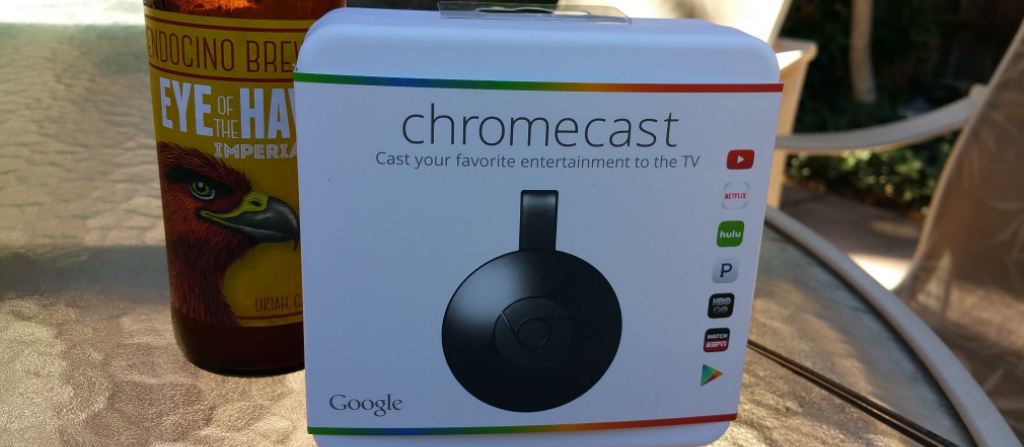
A year or two ago, I started seeing information on Google’s new streaming video device: Chromecast. The information I initially gathered was sketchy, but, as I studied it, I began to understand some of it’s capabilities. Sufficiently intrigued, I asked Santa for a Chromecast for Christmas 2014, and guess what? I got it! UPDATE…
-
Cool Pet Technology

Is your pet a GEEK? If so (or if not), check out these cool technology items for your pets….and you. —– PetChatz (http://www.petchatz.com/) True to TechyMike’s technical expertise, I just had to lead off with this pet technology gadget. Video conference with your pet…and give them a treat! And you can do that all from…
-
Using Google Maps While Driving


 TechyMike: Technology Made Easy