

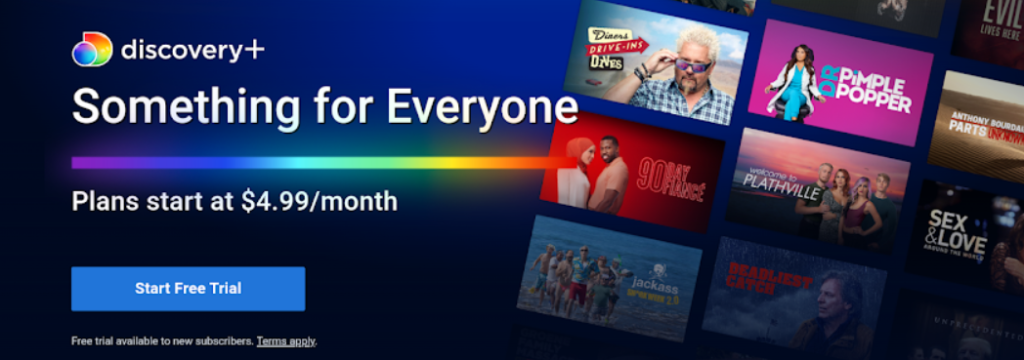
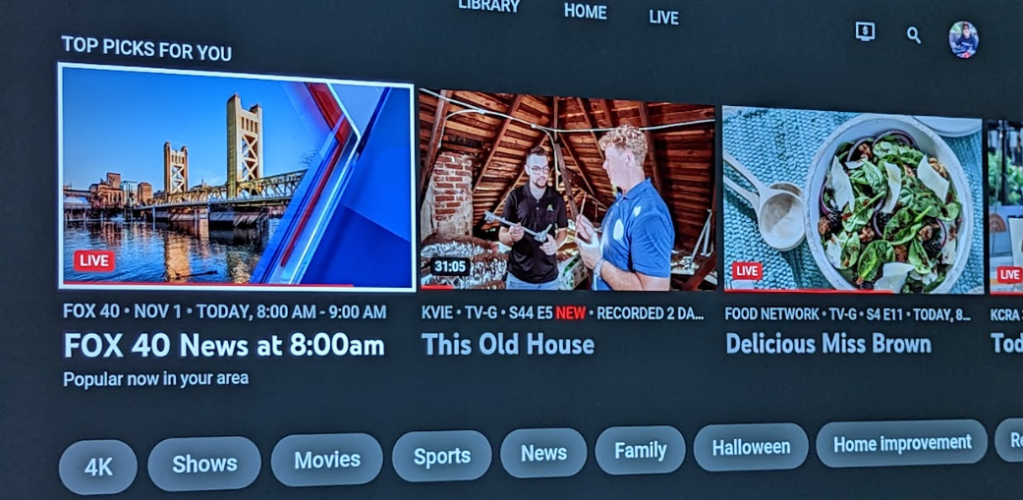
A month or two ago, we started to see a Discovery+ Subscribe Banner randomly appear on our Sony A8G. (The below image is not what we saw, as I trashed that sucker last week, but, it works as an example)

It could happen anytime…..during a STREAMING movie, watching the SF Giants…..anytime, but it was always disruptive!
I thought maybe, Sony had gone to the dark side and was now selling ads, so we lived with it….until…..
One day last week, I did a Google search to see if others were having the same problem.
They were!
And some of the people had the same thoughts I did about the dark side, but, one person hit a chord with me saying they thought it might be a Discovery+ app bug.
Hmmmmm, we don’t have Discovery+ and the app is redundant.
Soooooo……I’m gonna trash it and see if this issue goes away…..
I did….and it did!
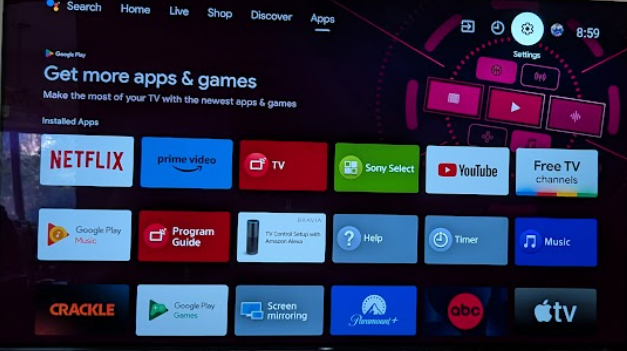
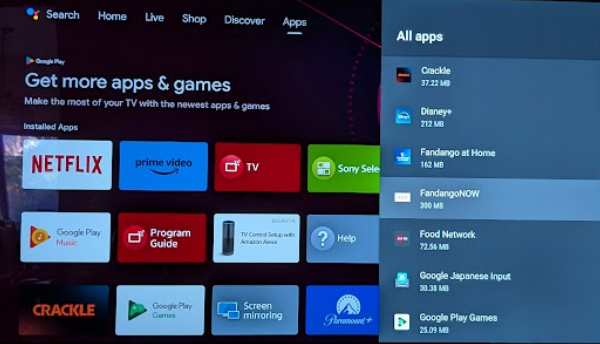
Here is a step by step how-to to trash an app on the Sony A8G (Notice that I picked Fandango to “trash” as Discovery+ was already GONE. 🙂
Go to Settings (top right)…..
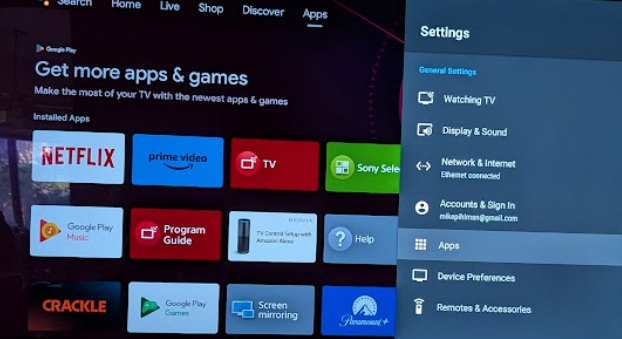
Select Apps….
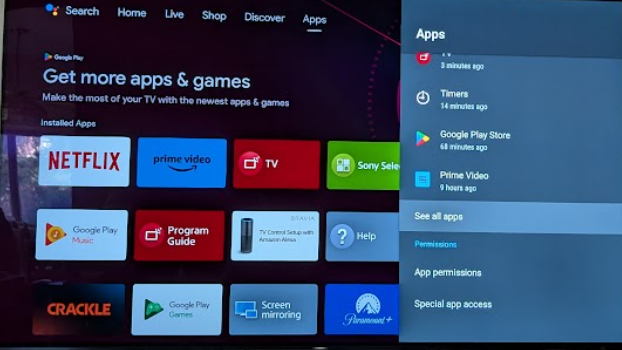
Scroll down to see all apps….
Select Fandango (or the app you want to trash)…
Scroll down to select UNINSTALL…..
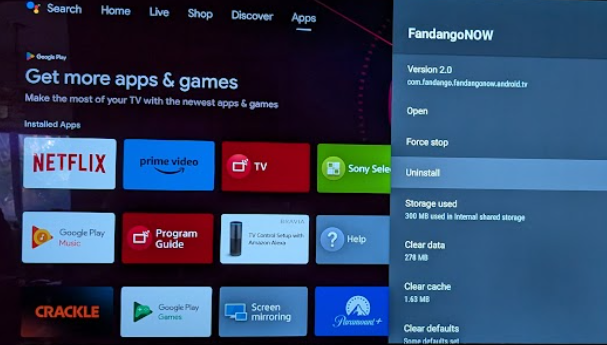
That’s it!
One week later……after much streaming / ball games…..
Problem solved…no more Discovery+ “ads” 🙂
Conclusion
It’s a new world. Apps can mess with your TV!
Yikes.
The big question for me is: Was the Discovery+ app just hosed, or was it brilliantly intentional?
We may never know.
Either way….it is GONE!
More GEEK stuff…










 TechyMike: Technology Made Easy